You are here:
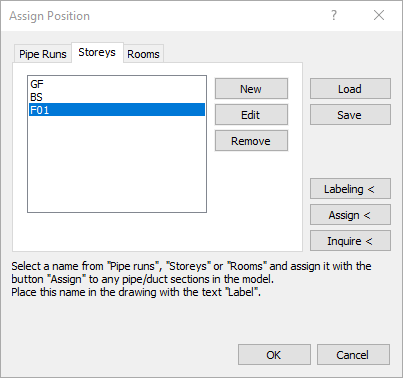
Tabs Pipe runs, Storeys, Rooms
You can create custom labels for pipes, pipe runs, and rooms in parallel, and assign them to the sections. Multiple assignments are possible.
Selection Window
If you have created a new name using the New function, the name can be selected here and then be assigned to one or more pipe sections.
Editing field
Enter a name for the storey or the pipe run. The editing field is only visible after clicking New or Edit.
New
Opens the editing field to enter a new name. Confirm the entry with Enter.
Edit
Opens the editing field to edit a name from the selection window. Confirm the modification with Enter.
Remove
Deletes the name marked in the selection window.
Load
Loads a previously saved compilation of pipe run and storey names.
Save
Saves a compilation of pipe run and storey names in an external file, so that it can be used in other projects.
Assign <
Assigns the marked name in the selection window to one or more pipe sections. Confirm the selection of the pipe sections in the model with Enter.
Inquire <
After clicking this button and selecting a pipe in the model, the pipe run and storey names of the corresponding pipe run are displayed in a dialog.