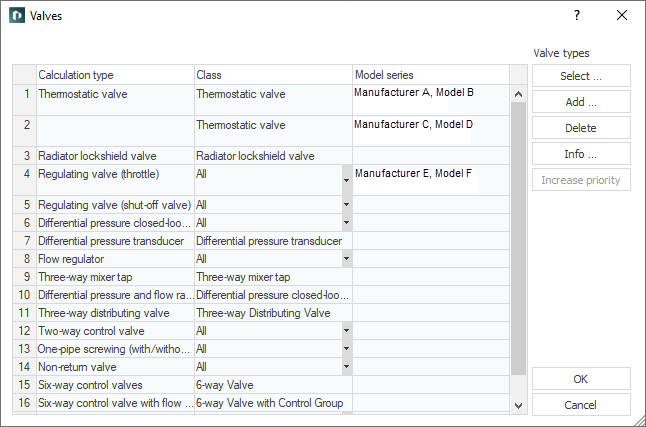
Add fittings such as thermostatic valves, radiator lockshield valves, regulating valves and differential pressure closed-loop controller here for pipe network calculations. Valves that have been selected in the preselection are saved in your project along with their technical data and remain in your project until being removed from preselection. Once a valve is removed from preselection it can no longer be used for calculation. If you have selected more than one valve model for the same valve type, the most suitable model will be calculated and automatically inserted.
You are here:
or
|
Element |
Description |
|---|---|
|
Product description |
Displays the manufacturer, the model and the type of the selected valve. |
|
Application in project as |
Displays the valve type to which the data of the selected valve will be applied. |
|
Add... |
First opens a context menu for setting the valve type and then the Select valve series dialog, from which you select the manufacturer, valve type and version and add them to the table. |
|
Delete |
Removes selected valve from the table. |
|
Info... |
Opens the info dialog for the selected valve. In addition to general information about the valve, the characteristic curve and the setting values are displayed in relation to the selected dimension. |
|
upward, downward |
The order of the listed valves is irrelevant for calculation. However, in order to improve overview, the order can be changed using these buttons. |