-
Right-click one of the numbered pipe run buttons
 .
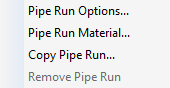
.The following context menu opens:
-
Select the menu item Pipe run options....
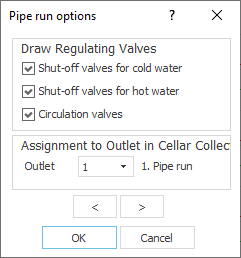
The Pipe run options dialog opens.
-
Define the desired options for the pipe run and click OK.
You defined the pipe run options for this pipe run.