-
Make sure that the project level is selected in the Building structure to make the Settings button visible so that you can access the Settings at the project level.
-
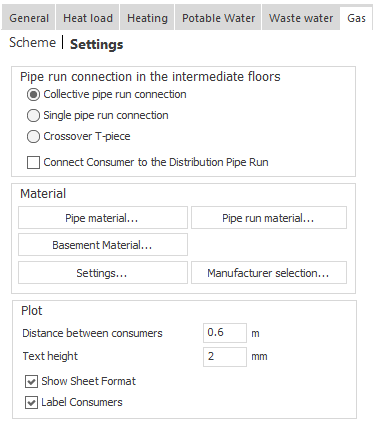
Click Settings.
The project level Settings opens.
-
In the Material section, click Configuration....
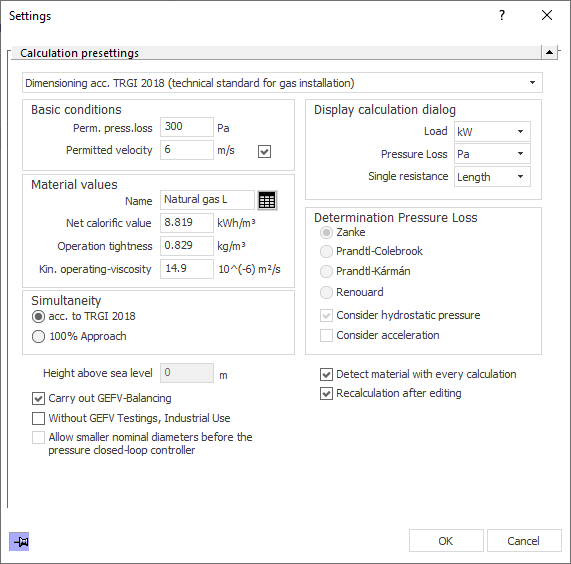
The Settings dialog opens.
-
Make sure that your desired calculation method is selected in the upper drop-down list.
-
If necessary, make changes to the settings in the Basic conditions, Display calculation dialog, Material values, Determination pressure loss and Simultaneity sections.
-
Set the Height above sea level/Height above Adriatic sea.
-
Specify which of the checkbox options of the Method dialog are to be taken into account in the pipe network calculation and close the dialog by clicking OK.
You have configured the settings for the pipe network calculation of a scheme.