-
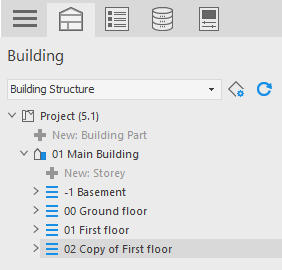
In the Building structure, right-click the storey you would like to copy and select Copy from the context menu.
-
Select the project level in the Building structure, right-click to open the context menu, and choose Paste.
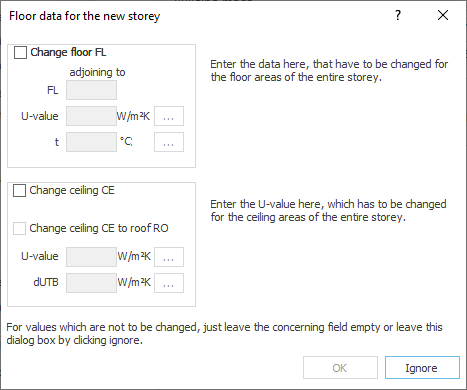
The Floor Data Dialog of the New Storey opens.
-
If necessary, activate the Change Floor FL and/or Change Ceiling CE checkboxes and enter the desired values.
-
Confirm your entries with OK or leave the dialog with Ignore if no values are to be changed.
A copy of the storey with modified floor and/or ceiling/roof area data, if any, is added to the building structure.
You have created a copy of the storey.