-
Click in an empty row in the table and enter a name for the profile set in the Set Name column.
-
In the WD column, click
 .
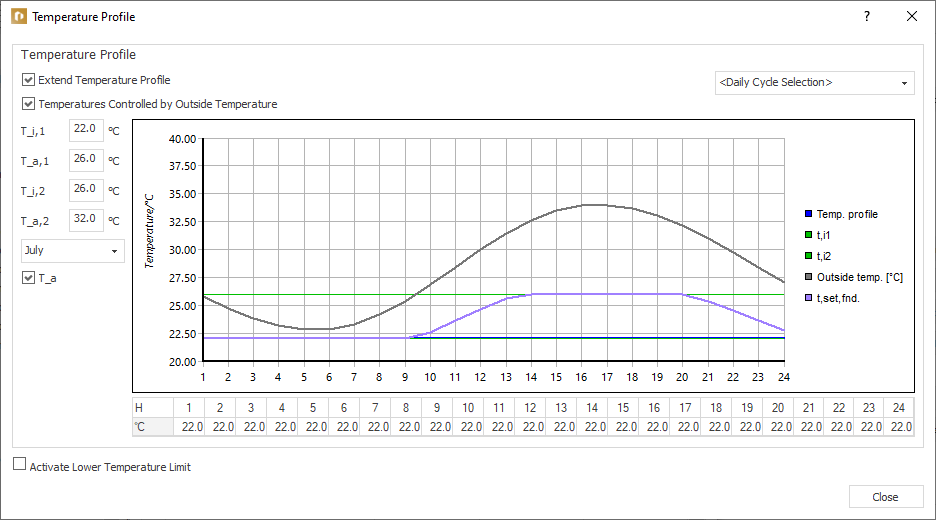
.The Temperature Profile dialog opens.
-
Activate the Expand Temperature Profile and Temperatures controlled from outside options.
-
In the table, enter the hourly target temperature for this profile under the diagram.
-
Enter the minimum inside temperature for t_i,1.
-
Enter the outside temperature for t_a,1 from which the inside temperature should be the same.
-
Enter the maximum inside temperature for t_i,2 which must be reached in “Temperature controlled from outside” mode.
-
Enter the outside temperature for t_a,2 at which the maximum inside temperature should be reached.
-
Close the Temperature Profile dialog.
The temperature profile is set and can be assigned to rooms.