-
Open the Main Menu
 and select Transfer Building from CAD.
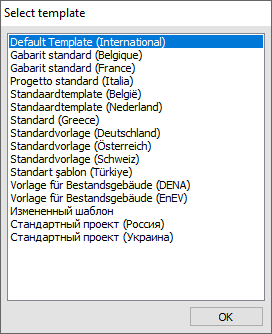
The Select Template dialog opens.
-
Select a template and click OK.
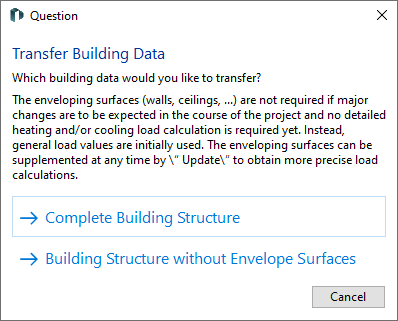
The following query opens:
-
Specify whether the Complete Building Structure or only the Building Structure without Enveloping Surfaces is transferred.
If you select Building Structure without Enveloping Surfaces, only the rooms and the building topology are transferred. No room components such as walls, windows and doors are transferred to LINEAR Building. Use this option if, for example, you want to determine an approximate heat load in early planning phases.
The building is analyzed and transferred to LINEAR Building. The Building Data dialog then opens.
-
Check and complete the building data and click OK.
Your building is detected in LINEAR Building and can be used for the requirements analysis.