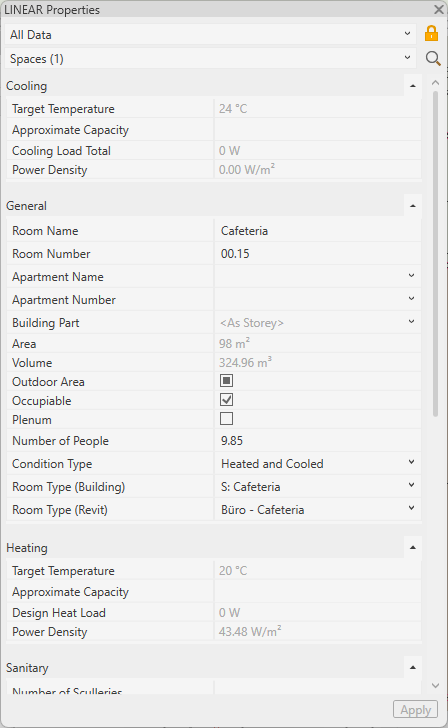
-
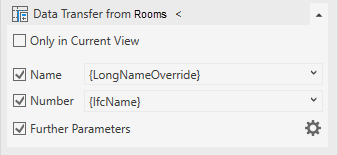
Open the section Data Transfer from Rooms <.
-
If you want to use the data for the entire project, deactivate the Only in active view option.
-
Activate Name and/or Number if you want to adopt these parameters.
-
If necessary, adjust the variables of the parameters.
-
If the architecture rooms contain additional parameters that you want to adopt, enable Further Parameters.
-
To specifically select additional shared parameters and assign them to your own parameters, click on
 .
.The Apply Further Parameters dialog opens.
-
Activate all desired parameters and confirm your selection with OK.
-
Click Data Transfer from Rooms <.
A confirmation is displayed and the data is visible in the properties of the respective MEP spaces.