Activating Network Program Licenses in LINEAR-Software
Shows step-by-step how to activate network licenses of program modules within the LINEAR-software.
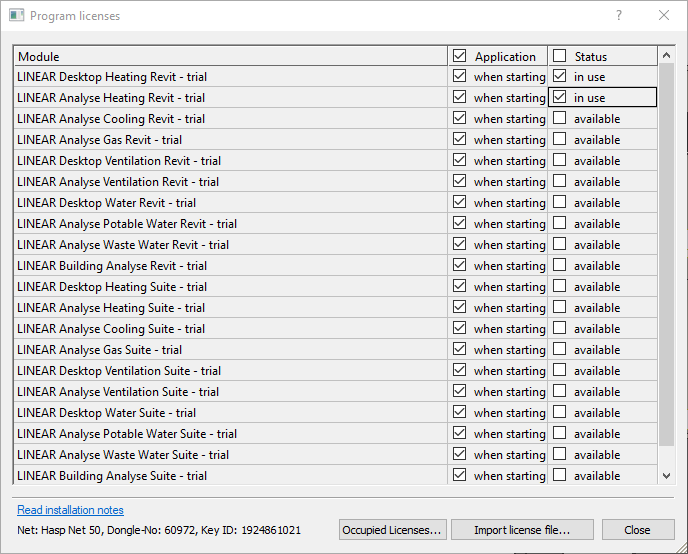
Click the Program Licenses button in the Help section.
The Program licenses dialog opens.
Deactivate the checkboxes for the corresponding modules in the column Statusin use.
The status of the modules changes to available.
You released the licenses of the modules. The licenses can now be used by other users on the network.
About Cookies
This website uses cookies. Those have two functions: On the one hand they are providing basic functionality for this website. On the other hand they allow us to improve our content for you by saving and analyzing anonymized user data. You can redraw your consent to using these cookies at any time. Find more information regarding cookies on our Data Protection Declaration and regarding us on the Imprint.