-
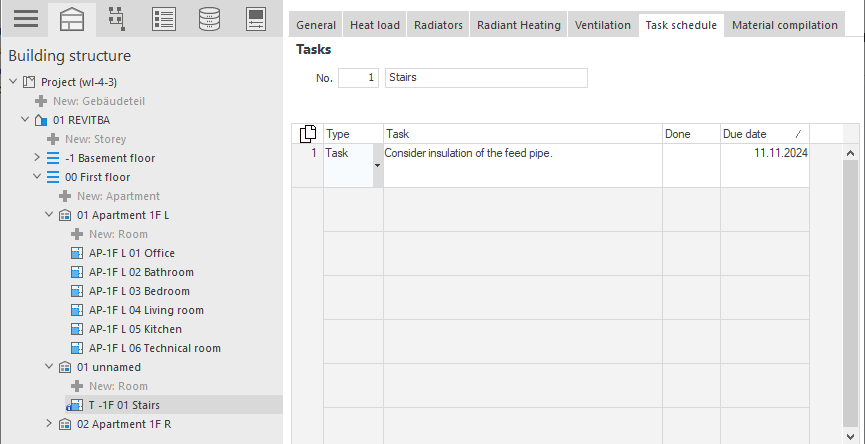
In the building structure, select the level to which the entry relates (room, apartment, storey, building part or the entire project).
-
Click in the table to create a new line.
-
Select the entry type: Task or Note.
-
Enter the description of the entry in the Task column.
-
Set a due date for a Task.
You have created an entry for the selected level in the building structure. The level with the entry in the Building Structure is marked with an Info icon  .
.