-
In the preselection, select the model series for which you would like to select a connection set.
-
Click the Connecting Set button.
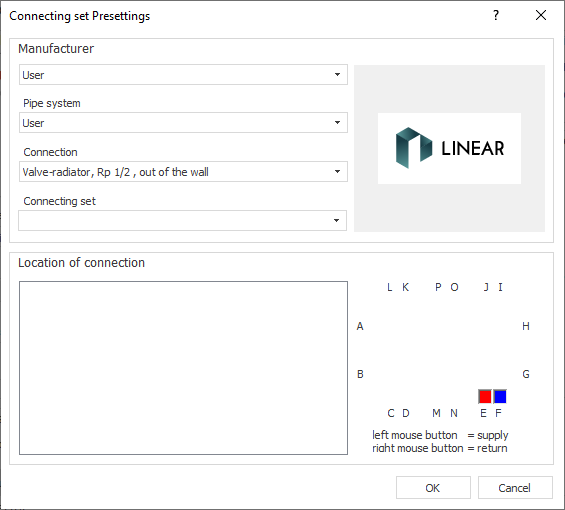
The Connecting Set Specifications dialog opens.
-
Select manufacturer, pipe system, connection and connecting set. Manufacturers are only available if corresponding product data sets with suitable pipe systems have been installed and licensed. Not all pipe systems include connecting sets.
-
Determine the connection location.
-
Click OK.
Determining the Connecting Set and Connection Location
Shows step-by-step how to select a connection set for a selected radiator or cooling convector model series. The connecting set appears in the parts list during the pipe network calculation.