-
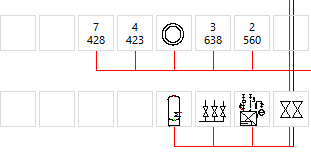
Select the desired symbol from the Symbols overview and drag and drop the symbol onto an empty or occupied symbol field.
The symbol is inserted at the corresponding position. If the symbol is inserted on an occupied symbol field, the symbols next to it are automatically moved and the new symbol is inserted at the desired position.