-
Click Open and open the BCF file.
-
If necessary, configure the filter and show the Details.
-
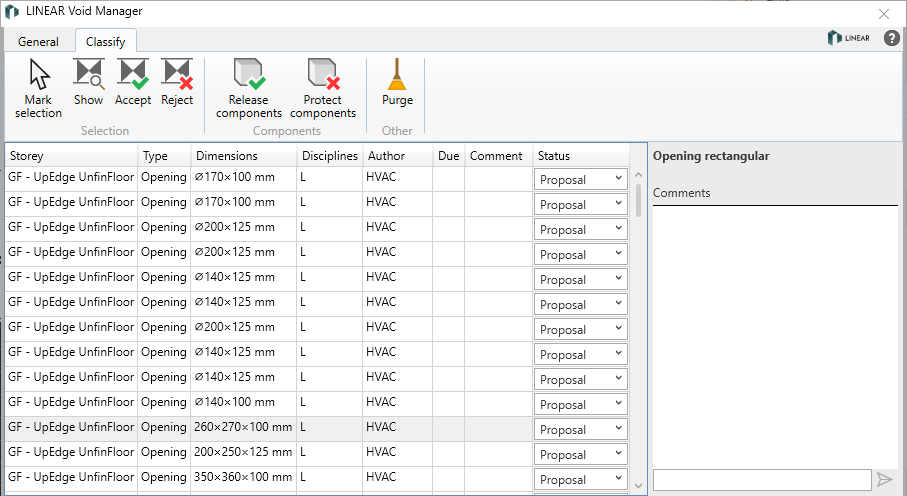
Open the Classify tab.
-
To display a void proposal in the model, select the appropriate row and click Show.
-
Comment on all opening proposals that require clarification in the Comments section.
-
To accept or reject a void proposal, select the relevant row and click Accept or Reject.
Multiple selection with Shift or Ctrl is possible. The classification can also be done by right-clicking. If a void proposal is accepted, the void proposal in the model becomes a provision for voids.
-
Click Save on the General tab.
The void proposals in the BCF file are classified and can be sent to the technical trades with any medium of your choice.