-
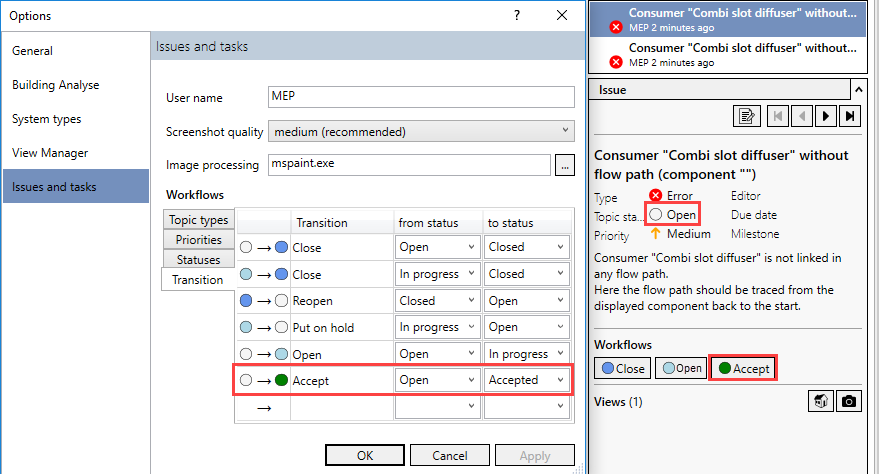
To rename a workflow, activate the edit mode in the Transition column by double-clicking in the corresponding row.
-
Enter a new name and confirm with Enter.
-
To create a new workflow, double-click on the last row in the Transition column to activate the edit mode.
-
Enter a name.
-
Select the desired entries in the from status and to status columns.
-
Confirm your entry with Enter and exit the dialog with OK.
The workflows are renamed or created.