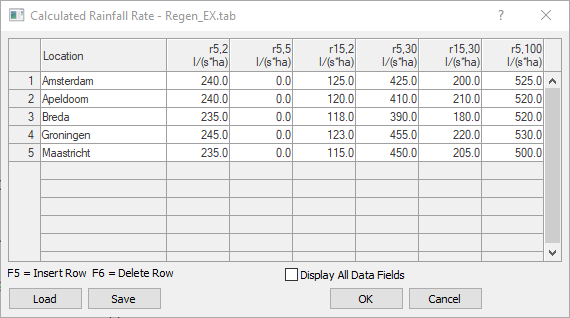
In this dialog, you can load, edit, and save rainfall rate files.
You are here:
Title Bar
The title bar displays the name of the currently loaded rainfall rate file. E.g. REGEN_DEU.TAB
Table Rainfall Rate
REGEN_DEU.TAB is selected by default. The data can be edited, and additional locations with their rainfall rates can be added. Select a row and press F5 to add a new row above the selected row. Alternatively, you can click in a free field at the end of the table to add a new row for another location. You can remove selected rows using the F6 key.
Display All Data Fields
Enabled: The table is expanded to include additional columns containing data from the rainfall rate file.
Load
Opens the dialog for selecting a rainfall rate file in TAB format.
Save
Opens the dialog for saving the current rainfall rate table in TAB format.