-
Click Building Data and set the general building data in the dialog that appears.
-
If you do not want to apply the value for the area-related heat load to all rooms in the project, deactivate the apply globally checkbox in the Quick entry section.
-
If necessary, adjust the value for the Area related heat load or click
 to accept a value in the dialog that opens based on the selection of a building type.
 -
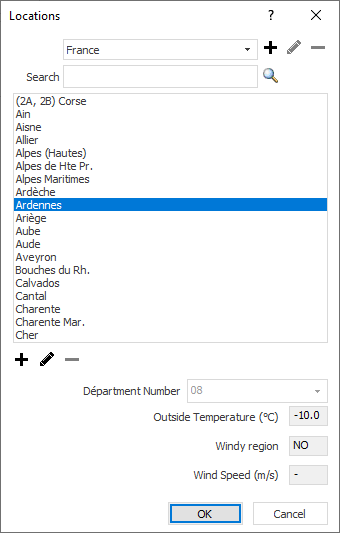
Click Location....
The Location dialog opens.
-
Select the location of your project and confirm your selection with OK.
The location of your project is defined and the editable standard outside temperature is displayed in the input field to the right of the Location... button.
-
If, depending on the selected room types, room-specific temperature entries are to be overwritten with temperatures from the standard, activate the Inside temperatures according to standard checkbox.
You have define the general heat load data for the approximate heat load calculation by quick entry.