
Buderus is a brand of Bosch Thermotechnik GmbH.
Bosch Thermotechnik GmbH represents the Thermotechnology (TT) division of the Bosch Group and, with its international subsidiaries, is a leading European supplier of resource-saving heating products and hot water solutions.
Bosch Thermotechnik has strong international and regional brands and manufactures a diversified product range, produced in a total of 21 factories in eleven countries in Europe, North America and Asia.
Buderus CAD Product Macro Library
Here you can download the stand-alone solution of the Buderus CAD Browser. As a LINEAR customer, use the download option in the LINEAR Installation Center.
Free downloads
- Description:
Programm zur Anzeige und Übernahme der Zeichnungen,
kompatibel mit AutoCAD 2021-2025 und Revit 2021-2025inkl. CAD Bibliothek Version 2024.0600:
- Buderus CAD Product Macro Library 2024:
- Wärmepumpen
- Wärmeerzeuger
- Heizkörper
- BHKW
- Kaminöfen und Heizeinsätze
- Warmwasserspeicher
- Solaranlagen
- Buderus Produktdatensatz:
- Heizkörper
- Wohnungsstationen (verwendbar für 2D Schemaplanung)
- Flächentemperierung
- Buderus CAD Product Macro Library 2024:
- Version:
- 25.0.0
- Last change:
- 09.09.2024
- File size:
- 1.94 GB
- File format:
- exe
- Sales region(s):
- Germany
Buderus CAD Portal
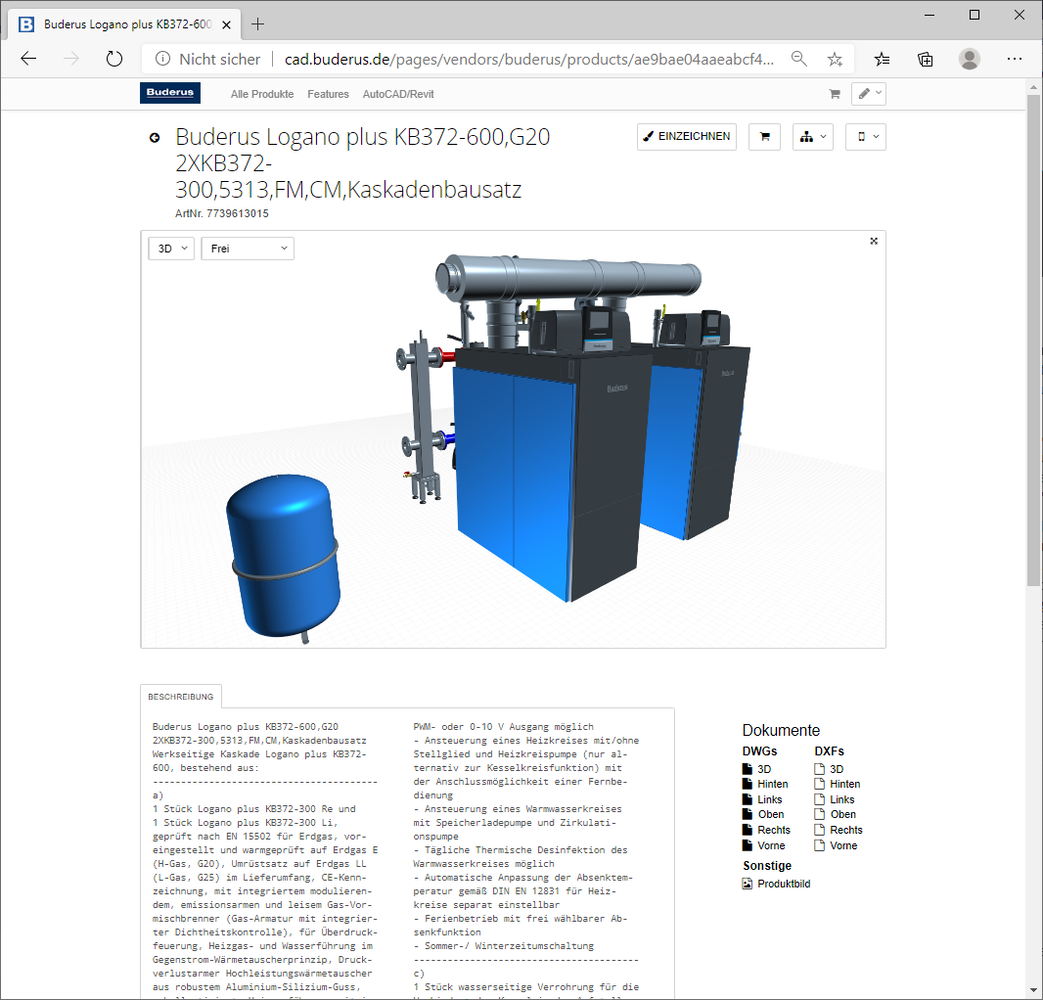
The Buderus CAD Portal made by LINEAR
The Buderus CAD Portal combines a comprehensive product library with detailed but lightweight CAD models, fast searchability and constant availability. Thanks to the direct connection to Autodesk AutoCAD / Revit, all models can be used, labelled and reused in your drawing with just one click.
Products can also be configured online
Analogous to the configuration options familiar from the liNear CAD browser, Buderus products can also be configured or equipped with optional extras in the online portal. When using the 'Draw in' function, the selected configuration is then taken into account.
LINEAR Web Helper Plug-in for AutoCAD and Revit
The liNear Web Helper Plug-in is quickly installed and works with all major browsers. liNear Web Helper creates a connection between AutoCAD/Revit and the LNIEAR CAD portal and allows you to easily draw models into your open AutoCAD/Revit drawing with just one click. Once drawn in, models can also be labelled with their technical data. Later, the 'collect from AutoCAD/Revit' function can automatically generate a complete material list for your drawing.